

SW Engineer, Technology Enthusiast, Long-term Tesla Investor since 2016, ex-Microsoft. Not a financial advice. Don't DM me. Tesla referal link below
United States
Joined June 2009
- Tweets7.4K
- Following395
- Followers588
- Likes4.9K






YK retweeted

🚨 This is genuinely mind-blowing.
Tesla Reality View inside a multi-level parking garage.
Real-time AI-generated video of the entire surroundings. Pillars, parked cars, ramps, other vehicles. All rendered live on AI4 hardware.
No game engine. Just the neural net building a photorealistic 3D view of the world as you drive through it.
We’re watching the car ‘see’ complex indoor environments in real time. The progress on visualization and spatial understanding is insane. 😳🤯
#Tesla #RealityView #FSD #AI4 #TeslaAI #AutonomousDriving #ModelY


YK retweeted

Some people thought we meant 25% improvement, no we mean 25 times!
Welcome to the singularity. Hope you’re enjoying your stay.

YK retweeted
In case anyone is curious:
We’ve had a ~pixel-perfect world model since last year, which is critical for synthetic data generation.
The (much) smaller version of that in the car is a conditional mean-flow model, based on the recent sequence of Tesla Universal Vision Encoder features, which are the same ones that are plugged into the 3B encoder model that produces the driving actions.
We fork off from these UVE features, then run a separate ~1B diffusion model. This takes in the previous reality-view generation with added noise and then denoises it to the current visualization.
It then produces a small video chunk (8 images at 36 fps, at the resolution of the UI screen). This work is done by 1/2 of a TRIP engine every UVE frame at 18 hz and is spread over 4 cycles.
Currently, the latency is a bit high due to compute constraints, but we have ways to interleave newer UVE features along the diffusion transformer layers to cut roughly 35% of the latency.
YK retweeted
Here is my initial FSD v15 review after driving with it all afternoon and evening:
First off, Elon was right. This update is a BANGER! Tesla Reality View is out of this world and so insanely cool I’m still trying to process it all.
FSD V15.0.1 brings so many improvements behind the scenes, in addition to the wildly cool UI.
Tesla Reality View IS AMAZING! Pictures and video don’t do it any justice, this is something that has to be experienced to truly understand. Got to take a few friends tonight on drives to show them and every single person was blown away by it. The amount of detail it shows and generates is wild and so impressive. It shows reflection in the car, buildings, trees, turn arrows on the display and more.
FSD v15 now has pothole avoidance! I had it swerve and avoid/straddle a few potholes tonight that were difficult for me to see in the dark.
Another great new feature in FSD v15 is speed camera slowdown. As you approach a speed camera, it automatically slows smoothly to the speed limit if you are in a quicker profile. This is a huge quality of life improvement especially as more cities get speed cameras.
Parking seems near unchanged from the last build, I feel it picking spots quicker especially at the supercharger I went to tonight. Seems to be preferring to park in the first or second open spot it sees which is great, but it tried to park in one handicap spot- otherwise good. By far, the coolest part is Tesla Reality View. Holy crap is it insane to watch while parking. It’s the best backup/360 camera money can buy and such a detailed and clear view.
Another new change I haven’t seen many people talk about is the turn signal fade. On FSD, the turn signal sound gets quieter after a few clicks. This is so nice if you’re sitting at a red light and makes drives more peaceful.
Quiet Mode is also so nice at night. It darkens the display and just shows arrival time; music, climate on the bottom and a quick grok button on the top. Another feature that makes it feel like a Robotaxi UI and a peaceful supervising experience.
Another improvement is much better handling of dips and speed bumps. The past couple updates it’s been a bit too fast in my Model Y, and it’s now so smooth.
The nag is definitely reduced. The last couple versions of v14.3 had been sometimes a bit strict, but definitely more relaxed in v15.0.1. Another thing I noticed is way less wiper washing, a very welcome change.
Personalized parking preferences are SO cool. At home, I can click on a person icon on the map and choose street parking or driveway, and it backs into the driveway EXACTLY in the spot I park my Model Y. It leared where I park and knows it.
It also now lets you choose which lot you want to park in if the mall or store has multiple lots, you can select it on the map, worked at the mall, Costco, and Home Depot tonight.
I need to touch on Tesla Reality View again because it’s just that cool. It really feels like you’re in a video game like NFS or GTA. I’m blown away by this and didn’t expect it at all. Tesla teams COOKED with it, I’ve seen so many on X now wanting Teslas because of it. I drove down Rodeo Drive tonight as well as by the SpaceX Falcon 9 and the views were so cool. Another place it’s cool is in wooded areas or tree filled streets, the way it shows everything is spectacular. Parking garages also give a cool look to them with the roof incorporated into the top of the UI. I didn’t think FSD could get this much better, as it was already so good and it did.
I absolutely can’t wait to see what else is coming in the future and driving this more on road trips.
@elonmusk, you were right- V15 is incredible and super human! Huge congrats to the Tesla team on this, what a sick update. @TeslaSI and UI teams did a fantastic job, thank you all.


YK retweeted

V15 debuts the Tesla Reality View.
The same end-to-end driving model also renders a realistic view of the world around the vehicle.
It’s not there just because it looks cool, but it also communicates the intent of the car. The arrows show the turns FSD intents to take, the pins show its intent to park in a spot and so on.


YK retweeted

옵시디언 & 그록봇으로 세컨드 브레인 만들기
옵시디언이 그록봇에서 사용할 수 있도록 환경(플러그인)을 제공하면서 그록봇을 활용해 세컨드 브레인을 구축하는 것이 한번에 가능해 졌다.
1. 세컨드 브레인이란?
세컨드 브레인(Second Brain)은 생산성 전문가 티아고 포르테가 고안한 개인 지식 관리 방법론.
인간의 뇌가 가진 기억의 한계를 극복하기 위해, 아이디어·메모·학습 내용 등 모든 디지털 정보를 외부 시스템(노션, 옵시디언 등)에 체계적으로 저장하고 연결하는 디지털 기록 보관소를 의미
2. LLM과 세컨드 브레인
현재는 세컨드 브레인을 LLM 에이전트에 연결하여 AI가 사용자의 과거 생각이나 메모를 통해 추론하는 기반 데이터로 활용
과거에는 인간이 수동으로 수행하던 정리와 추출 과정을 현재는 LLM이 백그라운드에서 자동으로 처리하여 지식을 그래프화하거나 요약
안드레 카파시가 이러한 방법론을 제시하여 많은 사람들이 개인 지식 베이스를 사용하고 있음
현재는 인간들은 하루에 수백, 수천통의 메시지를 읽고, 보내고, 버리고 있음
그중에서 살아남거나 장기 기억으로 저장되는 정보는 극히 일부이며 중요한 정보들도 휘발성으로 사라짐
만약 나중에 기억을 더듬으며 찾아야하는 일이 생긴다면?? 이러한 고민을 LLM과 옵시디언을 통해 세컨브레인을 구축하면 해결할 수 있음
3. 옵시디언 연결 방법
옵시디언 볼트(전체 정리 노트)를 어떻게 관하느냐를 먼저 정의
개인 PC를 통해서만 해당 정보에 접속이 가능한지 / 클라우드를 통해 언제든 정보에 접속이 가능한지에 따라 방법이 달라짐
개인 PC를 사용할 때만 쓰겠다면 옵시디언을 PC에 설치하고 그록봇(또는 클로드)으로 세팅을 진행, 이때 옵시디언은 무료로 사용가능
클라우드 방식은 옵시디언의 유료 기능인 옵시디언 싱크를 사용해 언제든지 어떤 기기든 볼트에 접속하는 방법이 있음, 다만 옵시디언 싱크는 유료이기 때문에 월 $4 / 연간 $48 비용이 필요할 수 있음
비용적인 문제를 해결하기 위해 그록과 내린 결론은 구글 드라이브를 이용하는 방법, 이미 그록봇에 구글 드라이브가 연결되어 있기 때문에 손쉽게 세팅이 완료
4. 조금 더 손쉽게 하는 방법은
보유한 그럭봇 중 Dr eegbot (로렌탄이 공유한 봇을 만드는봇) 을 이용해 신규 봇을 생성하게 하고, 세컨드 브레인을 옵시디언과함께 구축하고, 구글 드라이브를 활용하라는 요청을 진행하니 순식간에 세팅이 완료되었다.
이후 다른 봇들이 데이터를 저장해야하면 저녁에 일괄적으로 정리해서 해당봇에게 전달하고 해당 봇이 최종적으로 Sync(저장)작업을 진행하면서 정리
5. 사용 방법
가장 간단한데 그럭봇이나 LLM을 이용해서 “XX 와 같은 노트 검색해줘” 라고 요청 시 필여한 메모를 검색해서 답변해줌


옵시디언이 GrokBot 공식 플러그인 내놓으면서 달라지는 것 총정리
1. 노트 앱 옵시디언(Obsidian) 공식 계정 @obsdmd가 GrokBot용 공식 플러그인을 내놨음. 옵시디언은 노트를 내 컴퓨터에 마크다운 파일로 쌓는 앱이고, 그 노트를 모아 둔 폴더를 볼트라고 부름.
2. 플러그인을 붙이면 GrokBot이 볼트에 연결해 노트를 만들고 찾고 정리하고 링크까지 고침. 바뀐 내용은 Obsidian Sync로 내 기기들에 동기화됨.
3. 제일 눈에 띄는 건 Obsidian Headless임. 데스크톱 앱 없이 명령줄에서 볼트를 동기화하고 게시하는 도구라, 맥북에서 앱을 안 켜 둬도 GrokBot이 만든 노트가 아이폰 볼트까지 따라옴.
4. 아이폰에서도 되냐는 질문에 @obsdmd는 봇 하나에게 Headless Sync 설정을 맡기면 팀의 다른 봇도 그 볼트와 소통할 수 있다고 답했음. 봇 여러 개가 노트 한 곳을 같이 쓰는 그림을 옵시디언이 직접 확인해 준 셈임.
5. Bases(노트 속성을 표처럼 모아 보는 화면)와 Canvas(노트를 넓은 판에 펼쳐 두는 파일)도 GrokBot이 만듦. 웹 글은 Defuddle이라는 도구로 군더더기를 걷어 낸 본문만 마크다운으로 가져옴.
6. 같은 공식 플러그인이 ChatGPT, Codex, Cursor, GrokBot에 함께 나왔음. 노트는 내 컴퓨터 파일로 남으니 에이전트를 갈아타도 쌓아 둔 노트는 그대로임.
7. 조건도 있음. 앱 안의 노트를 고치는 obsidian-cli 스킬은 데스크톱 앱과 Obsidian CLI 설정이 켜져 있어야 하고, Defuddle과 Headless는 따로 설치하는 도구라 없으면 설치 전에 먼저 물어봄.
물론 에이전트가 읽은 노트는 대화에 들어가 AI 모델이 처리하니, 민감한 메모가 있는 볼트라면 연결 전에 한 번 생각해 볼 만함. 그래도 봇이 만든 노트를 폰까지 옮기던 수고는 꽤 줄어들 것 같음.
노트는 내 컴퓨터에 두고 에이전트만 골라 쓰는 쪽으로 가는 듯.


YK retweeted

🏠 미국 집 사려고 존버하던 사람들 비상 걸린 질로우 최신 전망 ㄷㄷ
미국 대표 부동산 플랫폼 질로우 , 가 2026년 말부터 2027년 부동산 시장 전망을 내놨는데 내용이 꽤 묵직함 🇺🇸
결론부터 말하면,,
금리는 안 내려가고 집값 폭락도 없는데,,
대신 집 사는 사람 협상력만 세지는 묘한 장세가 온다는 거임
핵심 데이터 3가지로 뜯어봄
1 모기지 금리 2027년 중반까지 7%대 고착화 💸
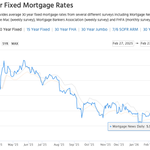
프레디맥 기준 30년 고정 모기지 평균 금리가 11월 19일 기준 7.28%를 찍었음
직전 7.11%에서 다시 튀어 오르면서 9월 24일 이후 계속 7% 위에서 노는 중임
질로우는 이 7%대 고금리가 2027년 중반까지 쭉 갈 거라고 봄
11월 10일 나온 10월 CPI가 예상보다 뜨거웠고 신규 임대료까지 다시 오르면서 인플레가 금리 발목을 잡는 탓임 🤯
2 집값 오른다는 중개인 비율 뚝 떨어짐 📉
질로우 3분기 설문조사에서 향후 1년 내 집값 상승을 점친 중개인은 45%로 2분기(58%) 대비 확 줄었음
32%는 보합, 23%는 하락을 예상함
특히 앞으로 30일 안에 집값 오른다는 응답은 2분기 41%에서 26%로 거의 반토막 남
3 칼자루는 매수자 손으로 넘어가는 중 🤝
중개인 52%가 현재 시장을 매수자 우위(buyer's market)라고 답함 (매도자 우위 32%, 균형 17%)
전국적으로 벌써 4분기 연속 매수자가 유리한 흐름이고
연휴 전에 집 팔아치우려는 집주인들이 급해지면서 가격 깎아달라거나 수리비 대달라는 네고가 잘 먹히는 분위기임
[미장 주붕이 관점 핵심 포인트]
금리 내려가면 집 사려고 버티던 대기자들 입장에선 7%대 이자가 너무 길어서 답답한 상황임 😇
하지만 현금 여력이 되거나 고금리를 감당할 수 있는 매수자라면, 집주인 눈치 안 보고 가격 깎아 살 수 있는 기회이기도 함
부동산 플랫폼이나 주택 관련 주식 투자자 입장에선 거래량 폭발을 기대하긴 아직 이르고, 2027년 상반기까지 인플레랑 주거비 둔화 속도를 계속 지켜봐야 하는 구간임 👀
⚠️ 매수/매도 추천이나 투자자문아님!
🚫 Not Financial Advice

The Zillow CPI Shelter Forecast highlights how upcoming housing inflation will affect owners and renters differently.
Read more: thestreet.com/real-estate/zi…

ALT Zillow predicts grim housing market shifts for homeowners and renters
YK retweeted
테슬라 FSD v14.3.10 → v15.0.1 첫인상 (야간 3시간 주행)
[좋음]
- 주행 : 14.3.10과 거의 같음, 포트홀 회피가 기대 이상
- UI : 놀라운 수준, 문 모드는 진짜 로보택시 느낌, 방향지시등 소리 줄어든 게 최고의 편의 개선, UI 변화 전부 10/10
[보통]
- 매드맥스 : 고속도로 55 구간에서 80 넘게, 앞차와 간격도 가까워 v13 이후 처음으로 불안, 스탠다드는 14.3.10과 비슷
- 시골길 이유 없는 급제동 몇 번, 14.1이나 초기 14.3보다는 훨씬 적음
- 버전 첫 릴리즈 중 가장 완성도 높음
[아쉬움]
- 주차 : 체감 변화 없음, 주차 위치 선호 선택은 여전히 없음
- 화면 탭으로 자리 선택은 기존 오토파크와 같음(UI는 개선), FSD 해제 후에만 가능
- 슈퍼차저 대신 EVgo 충전소의 장애인 주차칸을 고름
[결론]
- 충전소 재주차 말고는 개입 0회, 꿈처럼 주행
주행이나 안전성은 몇 시간의 주행으로는 체감이 불가능한 듯

FSD V14.3.10 --> V15.0.1
Raw first impressions:
I just drove around for 3 hours at night. Mostly very unpopulated back roads, but some more congested areas too.
THE GOOD:
1) In general, driving feels exactly like 14.3.10, with the added benefit that it now actively avoids potholes. I was surprised by how well it did with pothole avoidance. This is good, since 14.3.10 pretty much drives perfectly.
2) The new UI is obviously mind bending. It's just so wild. You've seen clips. Moon mode is also super underrated. Turning it on makes the car really feel like a robotaxi. The turn signal volume drop is the best QOL improvement. Chef's kiss. 10/10 on all of the UI changes.
THE MEH:
I tried mad max on the highway, and many might get pissed at me for saying this, but I did not like how it felt. It was going over 80 in a 55, and in fairly dense highway traffic driving too close to cars in front of it. I haven't felt that uneasy on the highway since V13. I went back to standard and that felt very much 14.3.10. If the way mad max drove tonight on the highway is the new norm, I'll probably never use it.
Had a few brake stabs on back roads for no apparent reason. Nowhere near what 14.1 was like, or even early 14.3. But it was something I noticed that I did not experience with 14.3.10. Overall, 15.0.1 is the most polished release of a new whole number series that I've experienced. By far.
THE BAD:
Parking really feels no different at all. I mostly hit empty lots and parking was easy, and that all felt the same. Bummed to see that there still isn't any spot preference selection. What Elon mentioned and what a few people showed is just auto park, a feature we already had. You can tap the screen to select a spot, and the UI for it is better, but it's nothing new. It can't be done inside of FSD -- you have to disengage first. It seems like auto park now uses FSD stack which is great since auto park sucked, but if I have to disengage FSD to select a spot, I'm still just going to park myself.
I stopped at a supercharger, and instead of parking at a supercharger stall, the car picked not only a handicap spot, but a handicap spot at an EVGo stall. I don't think parking is any different at all, but need to test more tomorrow to catch any changes here when lots are busy. Overall disappointed so far with this. Doesn't look like it's going to be much different.
CONCLUSION
That's all so far. Zero disengagements or interventions aside from having to re park at the charger. The car drives like a dream. The increased safety is something we probably won't really notice, but it's good to know it's there.
Excited to try it more tomorrow. It's less exciting testing at night in the suburbs because hardly anyone is on the road.
YK retweeted
The crazier thing is that the right side uses less compute than what the left used to take.
Extreme compute efficiency optimization.


